Free for 7 days. Then $9.99, once. macOS 14 or later.
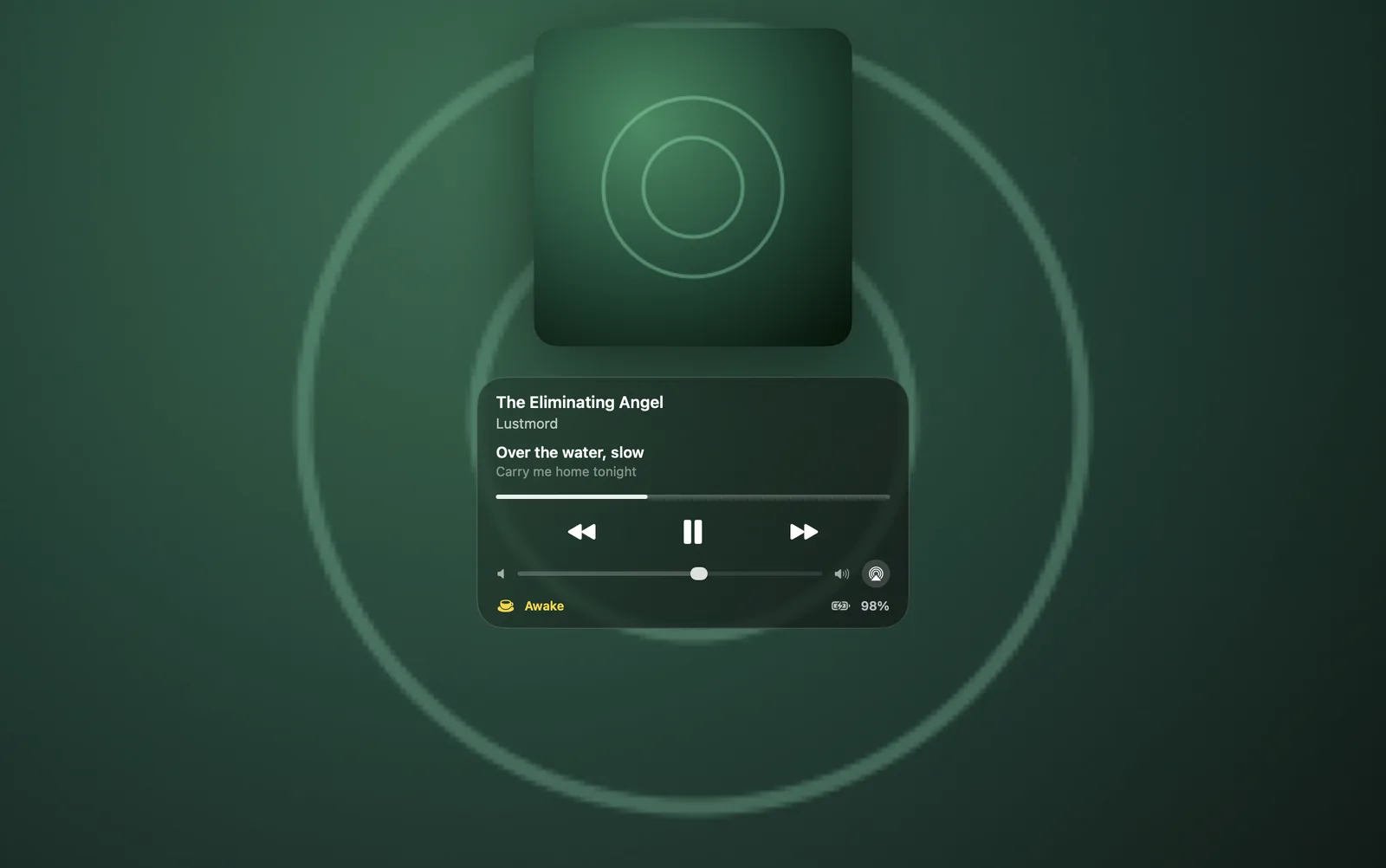
In the album’s colorsThe player takes its colors from the artwork. Click the art and it fills the screen.
Synced lyricsTurn on lyrics and the line being sung shows under the title. They come from LRCLIB, and only once you ask for them.
Volume and outputChange the volume, or send the sound to AirPods or a speaker, from the lock screen.
How it works
macOS shows almost nothing on the lock screen while music plays. Tilora puts a small player there, on the layer the system keeps for notifications while the Mac is locked. It appears when you lock and goes when you unlock.
It works with whatever is playing: Music, Spotify, and audio in the browser.
Questions
Is it safe to have controls on the lock screen?
The player can only play, pause, skip, scrub and change the volume and output. Nothing else on your Mac can be reached from it.
Can I turn it off?
Yes, in Tilora’s settings under Lock Screen. Lyrics are off until you turn them on.
 Tilora
Get Tilora
Tilora
Get Tilora