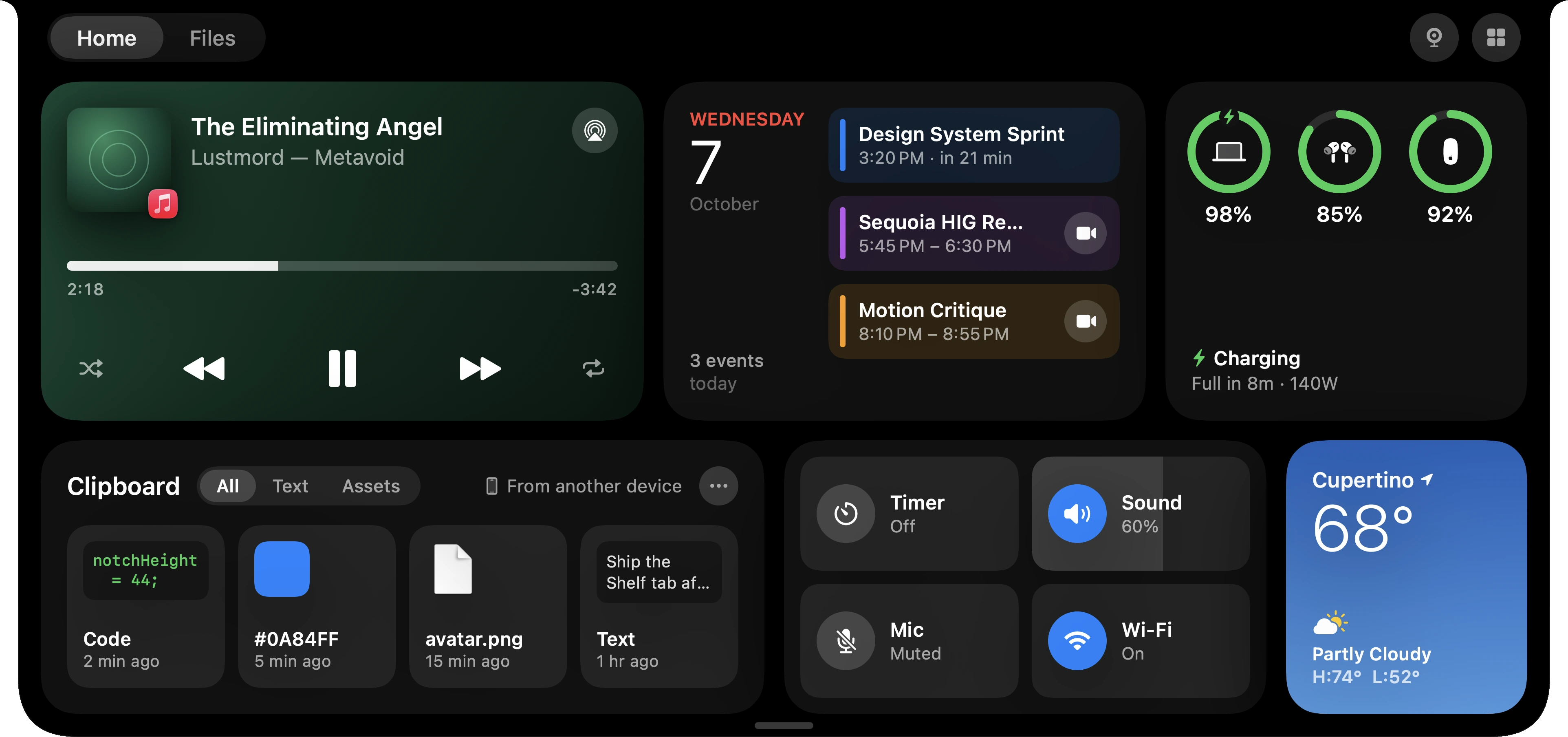
The notch on your MacBook is a gap in the screen. Tilora makes it the place things happen: what’s playing, your next meeting, a file you just downloaded, a call you’re on.
Free for 7 days. Then $9.99, once. macOS 14 or later.
It grows when it has something to sayA new track, a meeting about to start, a download finished: the notch widens for a moment, then gets out of the way.
Point at it for moreRest the pointer on the notch and it opens into Home: music, your day, batteries, clipboard, controls and the cards you choose.
Works without a notch tooOn an external display, or a Mac without a notch, Tilora draws a small notch of its own at the top of the screen.
What it shows
Now playing from Music, Spotify and the browser, with controls and lyrics.
Your day: the next meeting, a countdown to it, and Join when it starts.
Files: a download filling a ring as it comes in, then ready to drag.
Calls in FaceTime, Zoom, Teams, WhatsApp and the like: who and how long, with mute and hang up.
Timers, focus sessions, battery, AirPods, volume and brightness, beside the notch instead of over your work.
Questions
Does it work on any MacBook?
Any Mac running macOS 14 or later, with Apple silicon or Intel. MacBooks with a notch get it in the notch; other displays get a small notch drawn by Tilora.
Is it a subscription?
No. Tilora is $9.99 once, for three Macs, with every update. It’s free for 7 days first.
 Tilora
Get Tilora
Tilora
Get Tilora